 PDF Secure Scan
An offline document scanner for your phone
Everything stays only on your phone. Offline, no cloud, no account.
Scan pages with the camera, clean them up, organise them into documents and export them as PDF. Your documents are never uploaded or sent anywhere.
Offline by design
Scanning, image processing, and PDF generation all run on the device. Documents are kept in an encrypted local vault, and the app never sends its key anywhere.
Scan, keep, sign and export
Everything below happens on the phone itself.
What the app does
Scan to PDF
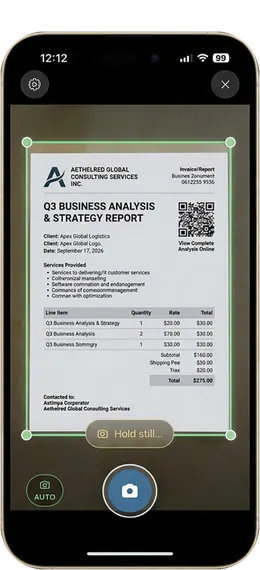
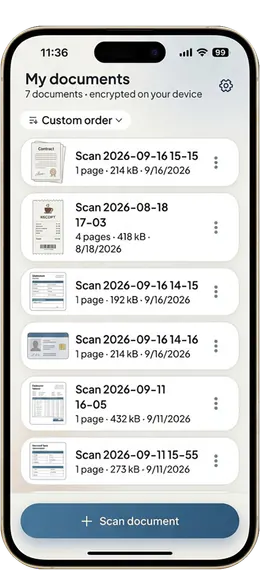
Use the camera to capture pages, straighten and clean them up, arrange them into a document, and export a PDF.
Encrypted locally
Documents are stored in an encrypted vault. The 256-bit key is protected by the Android Keystore or the iOS Keychain, and the app never sends it anywhere. On Android nothing is backed up. On iPhone, your own iCloud or encrypted computer backup can include the vault and its key.
Nothing about your documents
No usage analytics, no crash reporting, no advertising identifiers. On iPhone we only count installs from our ads, see the Privacy Policy. The only permission needed is the camera. There is no account and no sign-in of any kind.
Searchable text, on the device
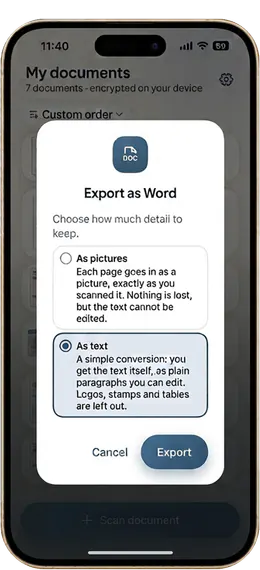
Text recognition runs on the phone (Apple's built-in recognition on iPhone, a Google ML Kit model bundled in the app on Android, Latin script there), so exported PDFs are searchable and you can find a document by the words on its pages. Need to edit the text? Export a Word (.docx) file, also made on the device.
Passwords and signatures
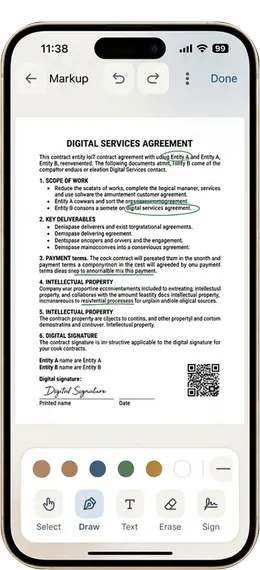
Give an exported PDF a standard password (128-bit AES) that PDF viewers on phones and computers ask for before they open it. Draw or photograph your signature once and place it on any page.
App lock and thorough deletion
Lock the app with a PIN, Face ID or other biometrics. "Delete all documents" erases everything the app holds and then destroys the encryption key, so leftovers in the phone's storage can no longer be decrypted. Copies you exported, and on iPhone an earlier device backup, are not affected.


Your documents, your responsibility
Because the app keeps your documents on your device and never uploads them, we cannot see, retrieve, or recover them.
Details are in the Privacy Policy and the Terms of Use.
If the encryption key is lost (by uninstalling the app, resetting or losing the device, or restoring a backup that does not include the key store), the documents become permanently unreadable. There is no recovery and no password reset. Export anything you need to keep.
Guides, about the app and legal
Scanning guides
New to scanning on your phone? Our scanning guides explain how to scan documents to PDF privately, in 16 languages.
Read the guidesAbout the app
How PDF Secure Scan works: offline scanning, on-device text recognition, encryption, PDF passwords and App lock, with nothing sent to a cloud.
About the appPrivacy Policy
How the app handles your data, explained separately for Android and for iPhone.
Read the policyTerms of Use
The terms for using PDF Secure Scan, including the end user license agreement.
Read the terms